Payroll Employees
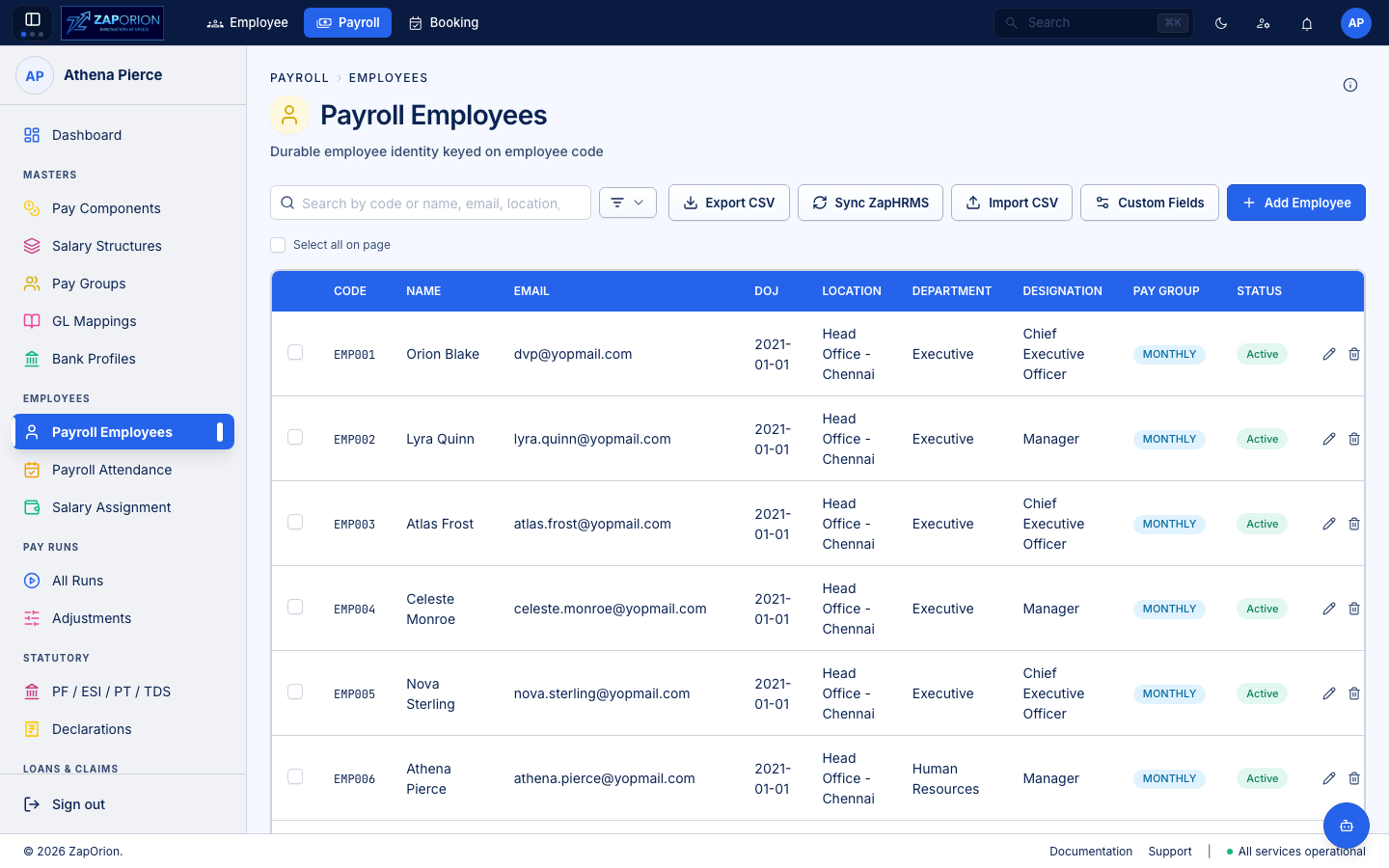
Payroll → Employees → Payroll Employees (/employees) — the durable payroll identity. Payroll keeps its own employee record so a pay run can be re-costed even if the HRMS profile changes.
How employees get here
- Sync from HRMS — the Sync HRMS button pulls active employees from the Employee module (
SyncHrmsButton). Payroll storesemployeeCode,firstName/lastName,departmentName,designation,locationName,payGroupIdandemploymentStatus. - Manual create/edit —
New Payroll Employee(/employees/new) andEdit(/employees/:id/edit) requirepayroll:manage. The form captures personal, job and pay-group assignment.
The directory
- Search by name or
employeeCode; filters: Location, Department, Designation, Pay Group and Employment Status (ACTIVEby default). Filters are a popover with badge count; active filters showClearchips. - The table shows avatar (initials), code, department, designation and Current CTC (from latest revision — bulk-fetched per page via
useBulkLatestSalaryRevisionswithwithStatutory=falsefor speed). - Row click → detail view with tabs:
| Tab | What it shows |
|---|---|
| Overview | Personal + job snapshot |
| Pay Groups | PayGroupsTab — current group and history |
| Attendance | AttendanceTab — payroll attendance that will feed the next run |
Clicking a directory row that came from HRMS but hasn't been pulled yet triggers an on-demand ensureMyPayrollEmployee path — the first payroll write bootstraps the payroll employee.
Bulk operations
- Uses the shared
SyncHrmsButtonprogress +CountStatspattern: sync shows pending/processed/failed per employee. - Bulk pay-group assignment via
BulkPayGroupAssignOverlay(selected IDs → targetpayGroupId).
:::note HRMS vs Payroll employee HRMS owns the system of record (profile, leaves, attendance). Payroll owns the payable identity (pay group, statutory overrides, salary revisions). A sync keeps them aligned; an attendance correction in HRMS is re-synced before the run's compute. :::