Configuration
Payroll → Administration → Configuration (/configuration) — tenant-level settings for the Payroll module. Requires payroll:admin.
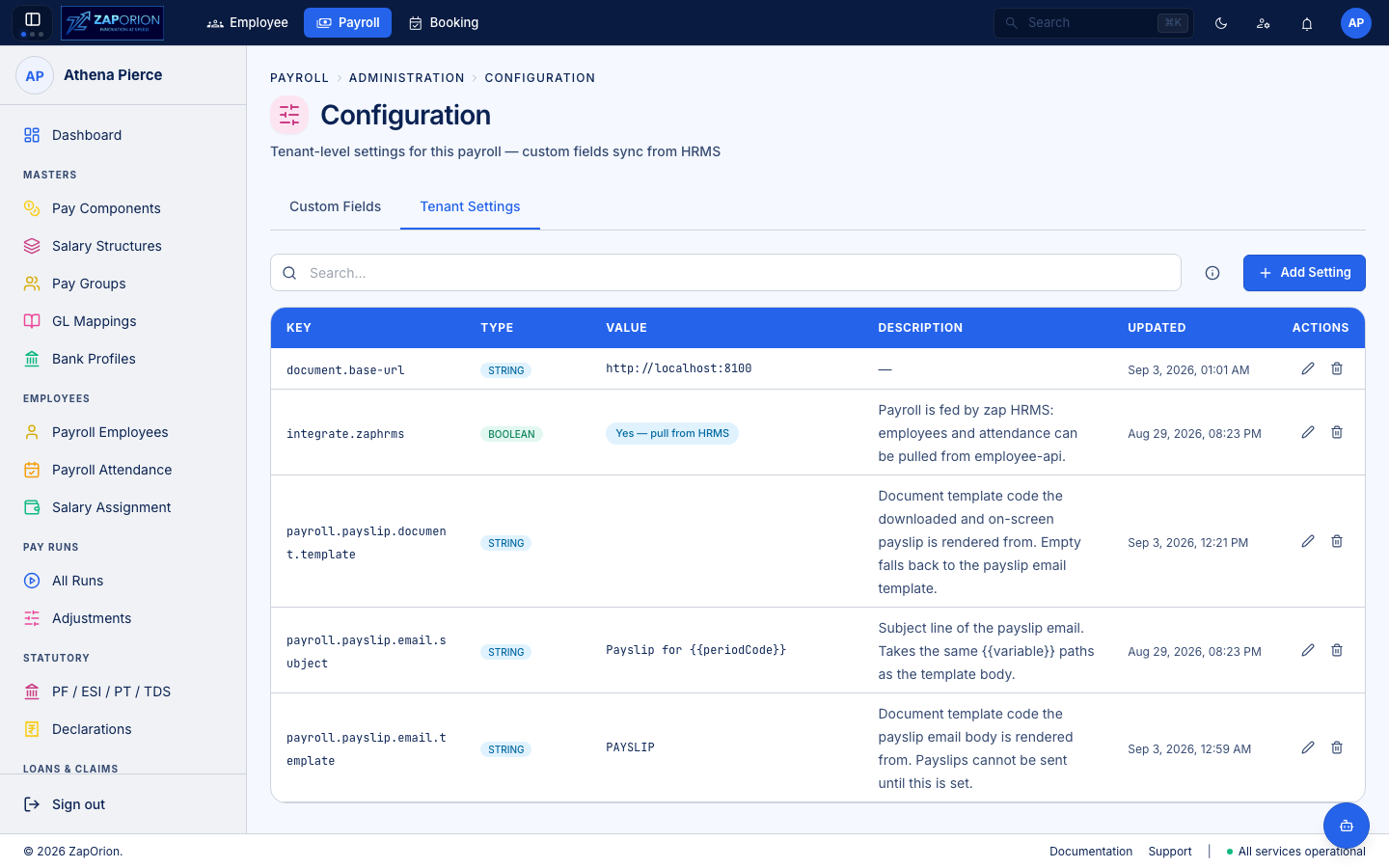
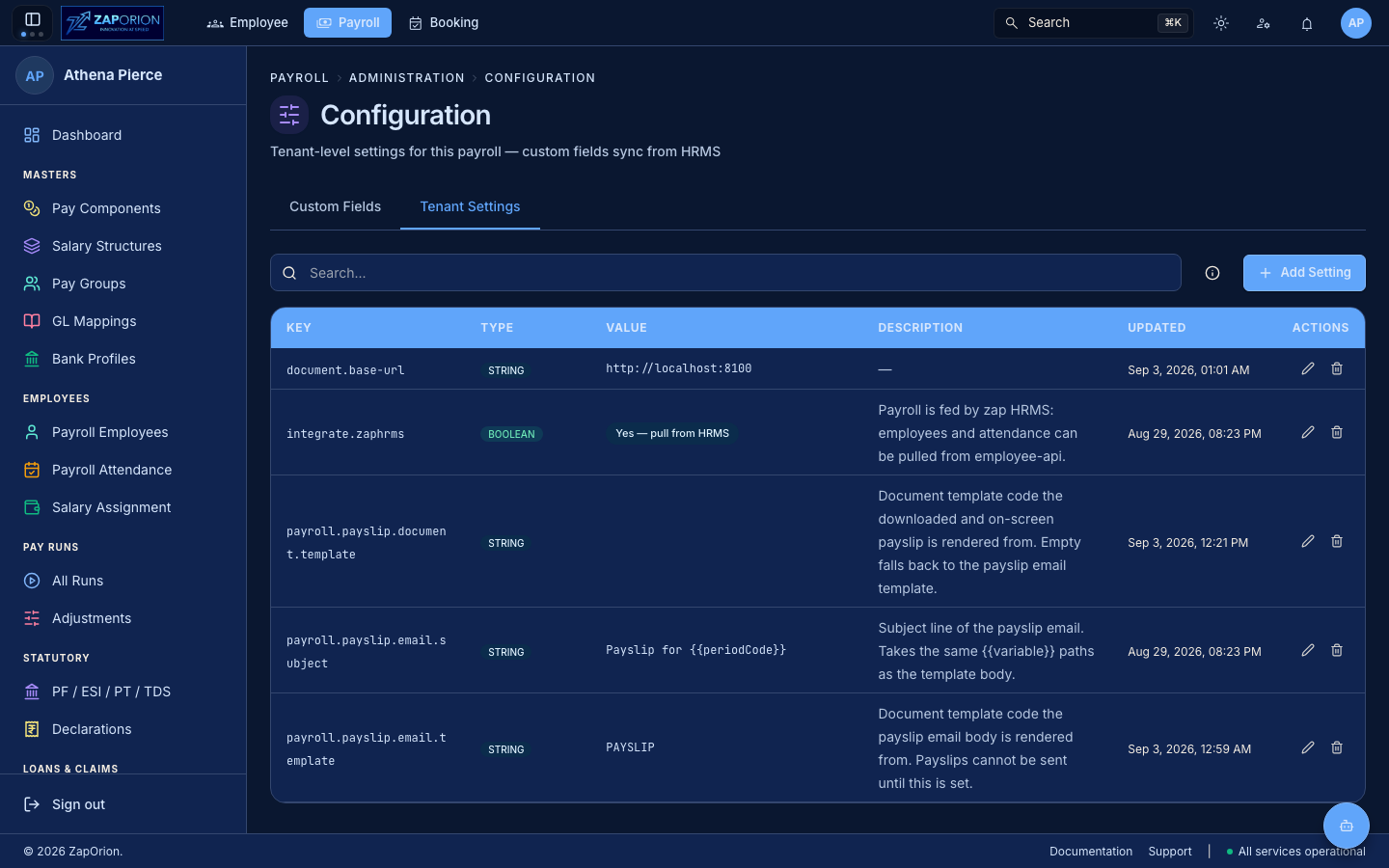
Tabs (UrlTabs)
Tab (?tab=) | Component | What it holds |
|---|---|---|
Tenant Settings (tenant-settings, default) | TenantSettingsTab | Payroll tenant settings (TenantSettingOverlay, TenantSettings.test harness) — e.g. currency defaults, pay-group defaults, payroll cut-off knobs. Some read-only rows sync from HRMS |
Custom Fields (custom-fields) | CustomFieldsTab | Employee custom fields that sync from HRMS → Administration → Masters → Advanced (knownSettings.ts). Payroll reads them but HRMS owns the definition — edits here are tenant-level overrides |
- Each tab is a
SectionCardtable withSearchInputand New / Edit (TenantSettingOverlay) for mutable settings;activetoggle andClear allwhere applicable. - The subtitle “Tenant-level settings for this payroll — custom fields sync from HRMS” reminds operators that HRMS is the system of record for the vocabulary — payroll only adds payroll-specific keys.
:::note HRMS vs Payroll configuration
HRMS Configuration (Administration → Configuration) holds employee ID format and HRMS-wide settings (employee:admin). Payroll Configuration (payroll:admin) holds payroll tenant settings. Custom fields are bridged (knownSettings.ts).
:::