My Declarations
My Space → My Declarations (/tax/my-declarations) — your self-service Form 12BB for the financial year. Declare investments and expenses that reduce your taxable income so payroll computes the correct TDS.
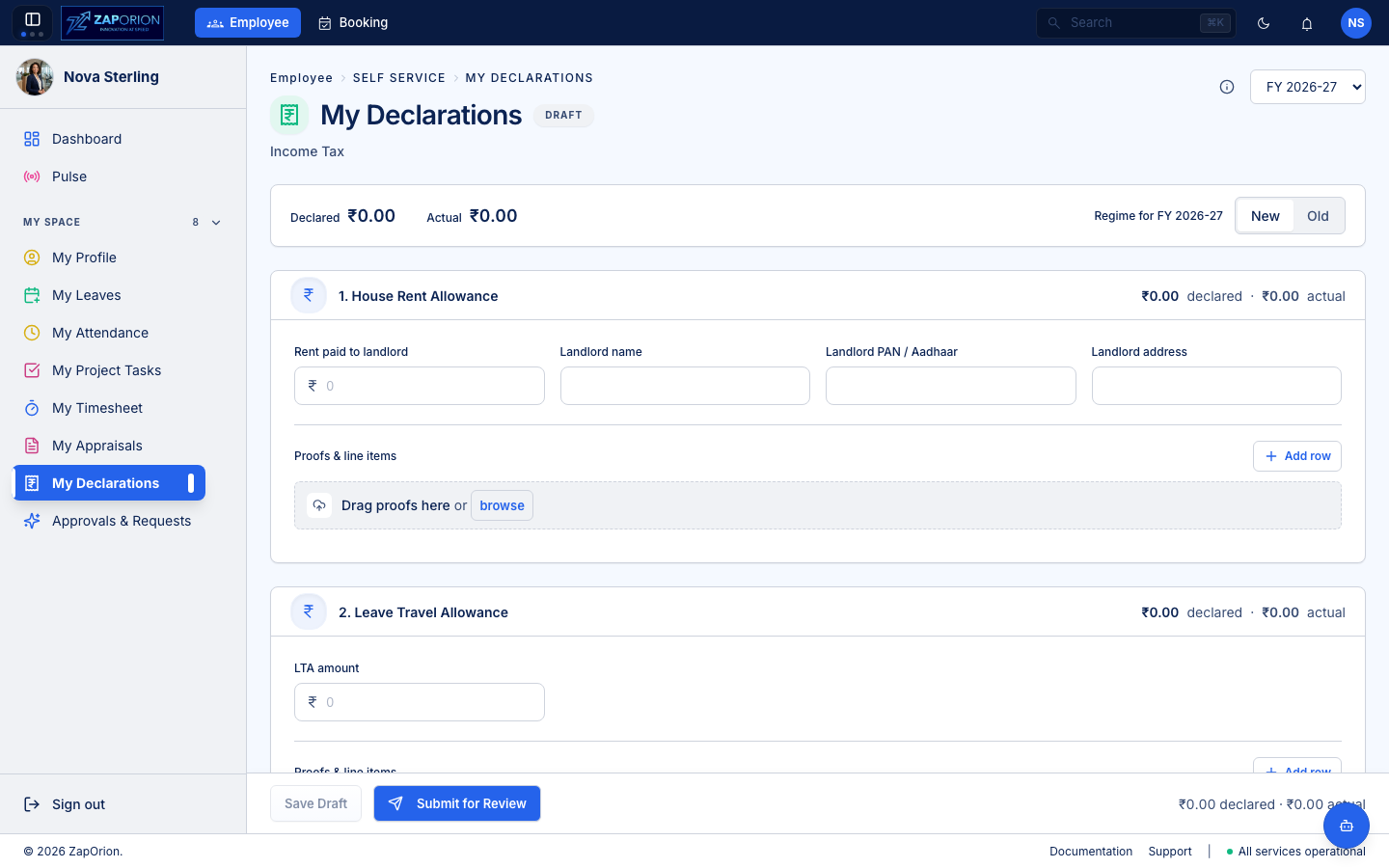
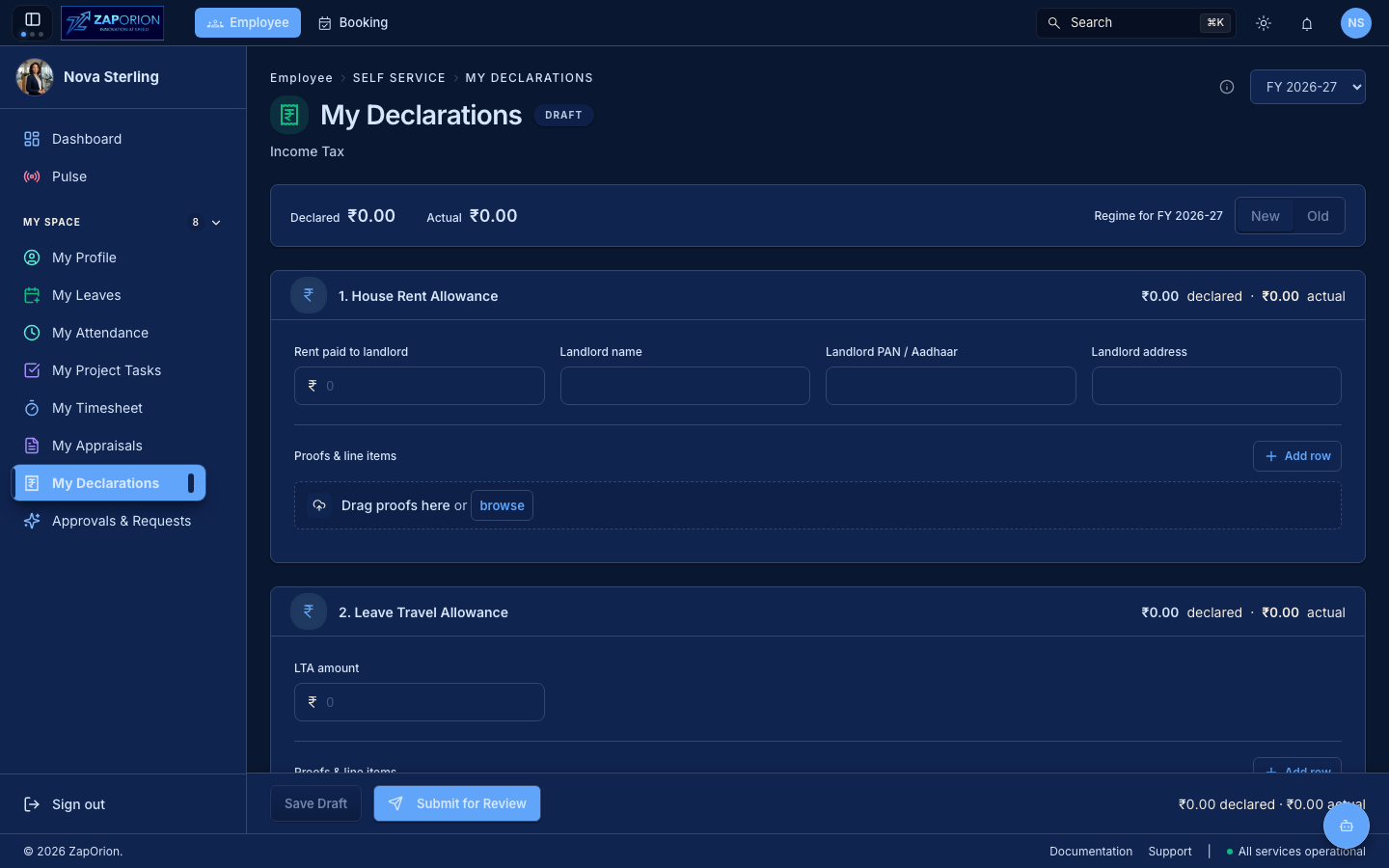
Every employee sees this page (requires employee:read). The data is stored in payroll-api — HR reviews it in the Payroll module, but you file and track it here.
Financial year and regime
- Use the FY picker at the top right to switch between financial years (e.g.
2025-26). Last year, current year and next year are available. - The header shows Declared vs Actual totals. Declared is the sum of the section header amounts; Actual is the sum of the priced line items underneath. The gap is what TDS recovers before the March payroll.
- Choose the Tax Regime (
OldorNew) for this FY. This drives how payroll applies your declarations — ask HR if you are unsure.
Declaration statuses
| Status | Meaning | What you can do |
|---|---|---|
| DRAFT | Editable — not yet submitted | Edit all fields, add proofs, save or submit |
| SUBMITTED | Awaiting review | Locked; you may Withdraw to Draft to edit again |
| UNDER_REVIEW | HR is reviewing | Locked |
| VERIFIED | HR verified — will flow into payroll | Locked; contact HR to reopen |
A banner under the header explains the current status and, if returned, shows the reviewer's comments.
The four sections
1. House Rent Allowance (HRA)
Rent paid to your landlord for the year. Fill in:
- Rent paid to landlord — aggregate rent for the year.
- Landlord name, Landlord PAN/Aadhaar and Landlord address.
Landlord PAN is mandatory when the aggregate rent exceeds ₹1,00,000 in the year (≈ ₹8,333/month).
Proofs: rent receipts (monthly or annual), lease/rent agreement, landlord ownership proof (house-tax receipt, electricity bill or society share certificate).
2. Leave Travel Allowance (LTA)
Travel costs against the LTA component of your salary.
- Enter the LTA amount you wish to claim (the exemption never exceeds the LTA your salary provides).
Proofs: domestic travel tickets and boarding passes. Only domestic travel qualifies.
3. Interest on Home Loan
Interest payable/paid on a housing loan (self-occupied or let-out).
- Interest payable / paid
- Lender name, Lender PAN/Aadhaar, Lender type (Financial Institution / Employer / Others) and Lender address.
For a self-occupied house, interest up to ₹2,00,000 a year is considered under Section 24; the principal (up to ₹1,50,000 under 80C) is declared separately below.
Proofs: bank/certificate with principal-and-interest break-up, possession/construction-completion certificate, loan statement for April–March. For let-out, the same April–March statement.
4. Deductions under Chapter VI-A
Four total fields plus the itemised investments that justify them:
- Section 80C total, 80CCC total, 80CCD total and 80D total — the headline figures for each section.
- Under each, add line items: particulars and amount (e.g.
LIC premium— ₹25,000,PPF— ₹50,000,ELSS— ₹30,000,Children tuition fees— ₹40,000).
Each line item carries its own proof (see below). Common 80C items and their proofs:
- Life insurance premium — premium receipts (self/spouse/children, paid by you).
- PPF — passbook/statement showing account and transactions.
- ELSS — mutual-fund ELSS statement.
- Children tuition fees — school fee receipt with seal/signature (tuition component only, full-time education).
- Home-loan principal — financial-institution certificate specifying principal paid April–March.
Additional rows under this section cover 80CCC (pension), 80CCD (NPS — PRAN card + Tier-1 statement when self-invested; no proof when deducted by employer), 80D (medical insurance — premium receipt, paid non-cash, with 80D statement; preventive check-up and senior parents' medical bills where applicable) and Other sections (80E, 80G, 80TTA …) — use the Particulars field to note the section number (e.g. 80D — Mediclaim).
Proofs and line items
Each section has a Proofs & line items panel:
- Click Add row to add a line item. Enter Particulars and Amount.
- The section header shows Declared vs Actual for that section: the header amount against the sum of its line items. This tells you whether every rupee declared has an evidenced investment behind it.
- Drag proofs here — a striped drop zone at the top of each section. Dropping files (PDF, JPG, PNG, DOC/DOCX) creates one new row per file, named after the file, and queues the file for upload.
- Each card is also a drop target: drop a file on a row to attach it to that row. Click browse to pick files. A paper-clip slot shows the linked proof (click the name to open it); use the × to remove it.
- A file dropped on a row with no amount is queued — it uploads automatically when you save the draft after entering an amount.
- Proof status follows the row: if a reviewer approves or rejects a document, the verdict appears on that card with the reviewer's comments — this is the signal for what to replace.
:::tip Declaration first, proof later You can submit the declaration now and add proofs as you receive them — both stay on this page. Upload proofs as they arrive before the employer's cut-off date (usually January/February) so shortfall tax can land in the remaining months' TDS. :::
Saving and submitting
The sticky action bar at the bottom shows Declared and Actual for the whole form.
- Save Draft — persists the form without locking it. Any queued proofs upload on save. The button is disabled when there are no changes and nothing queued.
- Submit for Review — saves, then locks the declaration as SUBMITTED for HR review. The reviewer is notified.
- Withdraw to Draft — when status is SUBMITTED, returns it to DRAFT so you can edit again.
Declarations are per-FY and per-employee — filing for 2025-26 does not affect 2024-25.
Where HR reviews
HR reviews declarations in Payroll → Statutory → Declarations (payroll module). Reviewers can approve/reject individual proofs with comments; a rejection returns the card to you with the reason so you know exactly which receipt to replace. Contact HR if a verified declaration needs to be reopened.