Workflow Designer
Administration → Workflow Designer — configure the approval flows used
across ZapHRMS. Requires workflow:manage (approving definitions requires
workflow:approve).
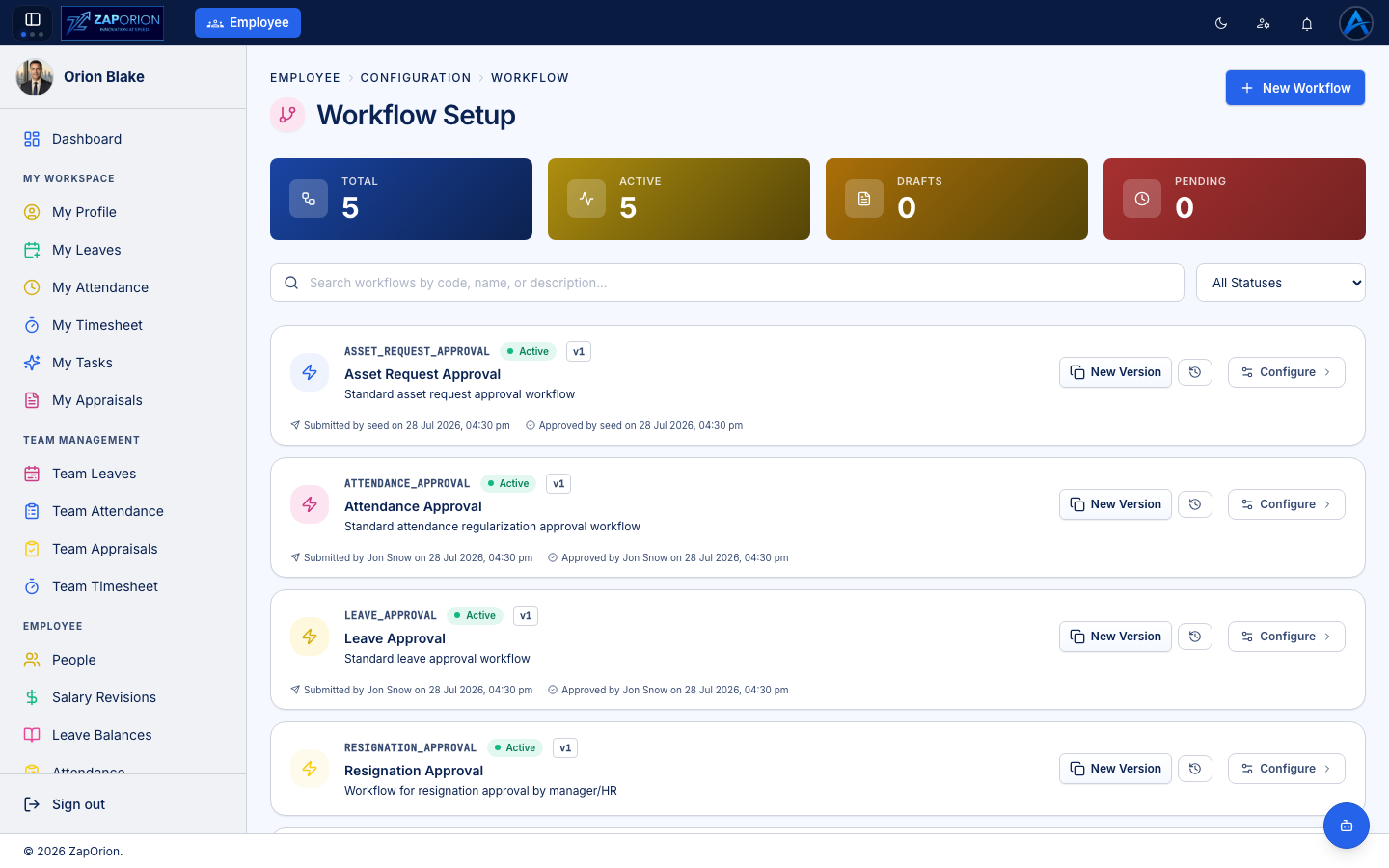
Built-in workflows
The standard flows ship ready to use:
- Leave Approval — leave applications.
- Attendance Approval — attendance corrections / regularization.
- Resignation Approval — resignations, routed to manager/HR.
- Asset Request Approval — asset requests.
- …plus any custom workflows your organization adds with New Workflow.
Versioning model
Workflows are versioned. The summary cards show Total / Active / Drafts / Pending counts.
- Click New Version on a workflow to create an editable draft (the current version keeps running).
- Configure the draft — the approval steps, who approves at each step (manager, specific role, specific person), and escalation rules.
- Submit the draft; once approved, it becomes the active version. The history icon shows every previous version with who submitted and approved it.
Changes never affect requests already in flight — they complete on the version they started with.